
Connect Claude with the DevOpser MCP connector
The DevOpser MCP connector gives Claude a live view of your Software Catalog. Ask for your scores, see what is failing, and have each app's coding agent open a pull request that fixes it, all from a chat. You sign in and approve the access in your browser. There is no API key to paste.
Watch the walkthrough
Three and a half minutes from Connect GitHub to a merged fix. Choose a chapter to jump to it.
3 min 45 s. Captions are available from the player's CC control. The screens shown are a demonstration workspace.
Before you start
- A DevOpser workspace with at least one application in the Software Catalog. Every workspace includes 10 applications free.
- Claude on the web, Claude Desktop, or Claude Code. The connector works with all three.
- AI credits, if you want Claude to run reviews or open fix pull requests. Reading scores and findings is free.
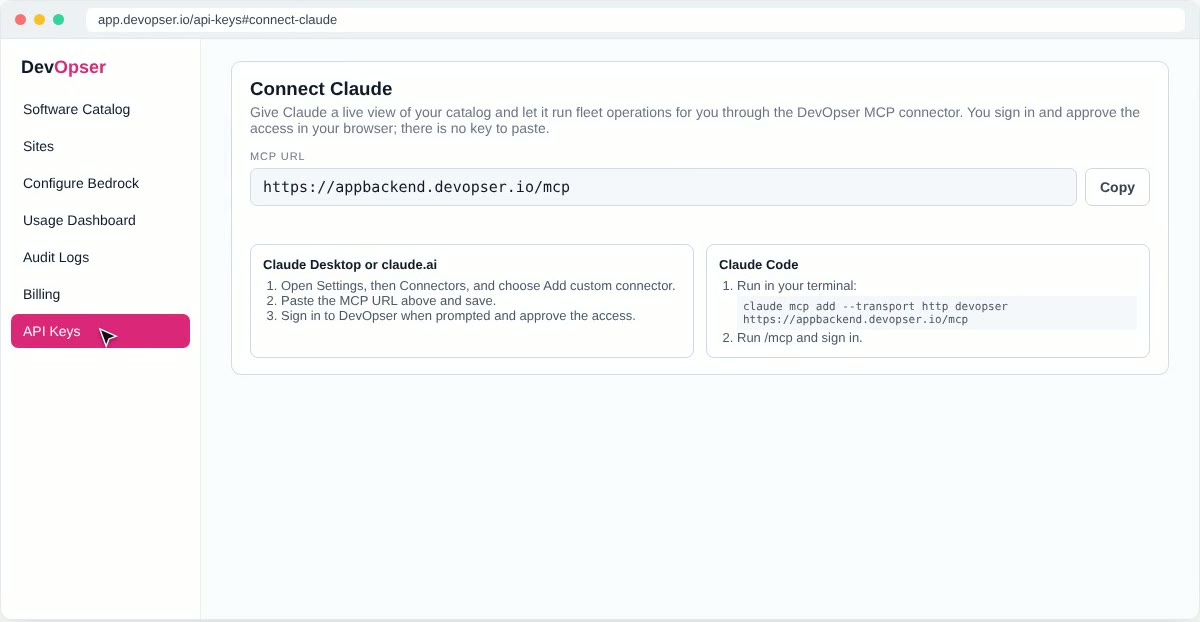
The MCP URL
Remote MCP server URL
https://appbackend.devopser.io/mcp
The host is appbackend.devopser.io, not app.devopser.io. The console address is not an MCP server and will not connect.
The same URL, with a Copy button, is on the Connect Claude card. Sign in at app.devopser.io, open API Keys and scroll to Connect Claude.
Set up claude.ai or Claude Desktop
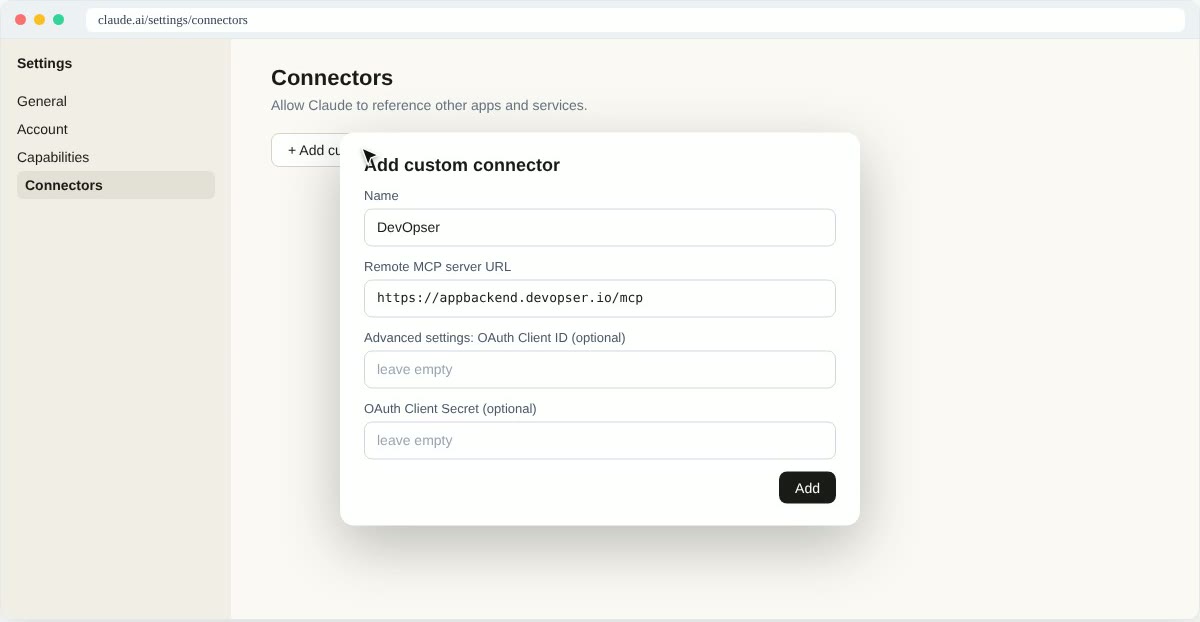
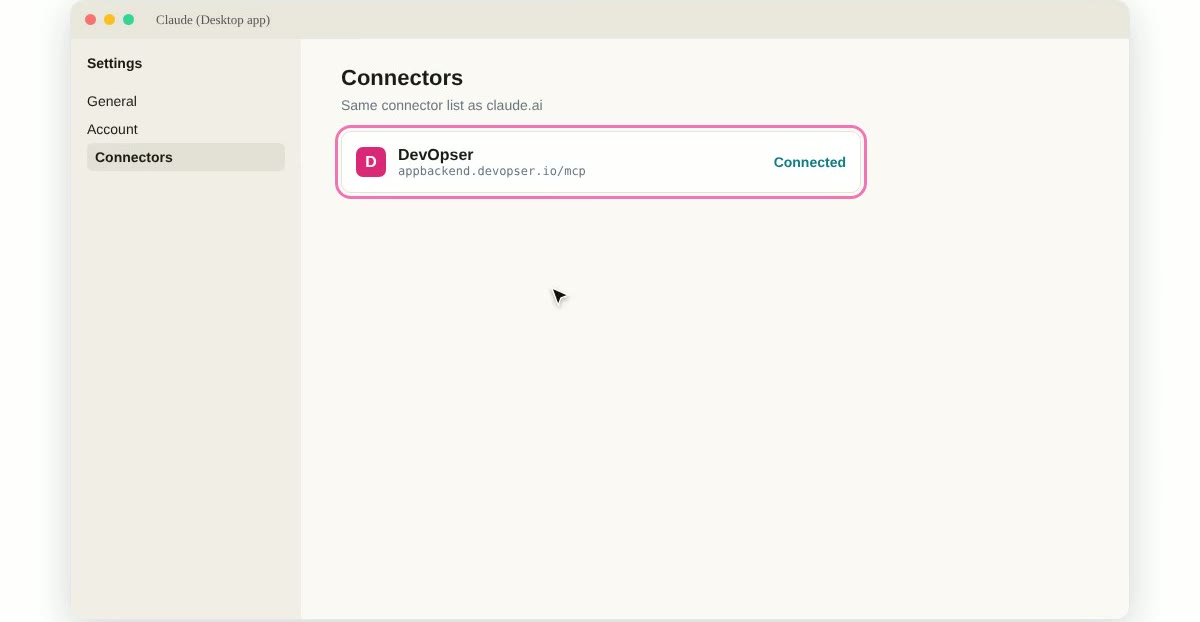
Claude Desktop shares its connector list with claude.ai. Set the connector up once in either and it shows as Connected in both.
-
1
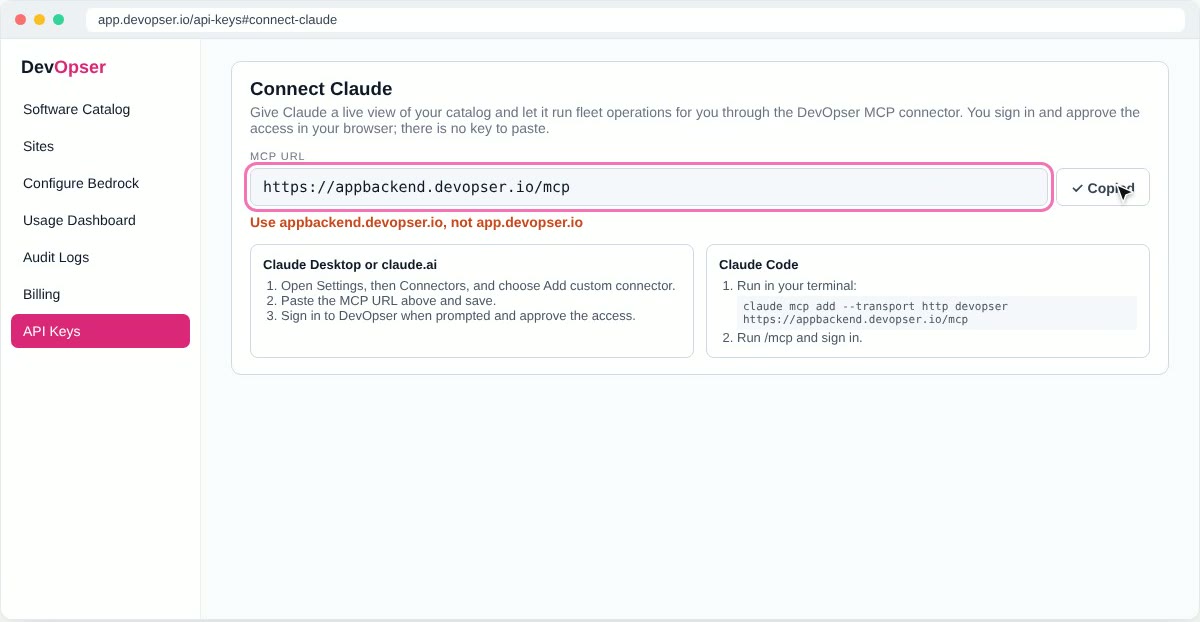
Open Settings, then Connectors, and choose Add custom connector.
-
2
Name it DevOpser, paste the MCP URL as the remote MCP server URL, and leave the OAuth client ID and client secret empty. Press Add.
-
3
Press Connect. A DevOpser page opens in your browser. Sign in if asked.
-
4
Check the client name, what it can do, and the organization it will act on, then press Allow. You are sent back to Claude.
Set up Claude Code
Add the server from your terminal, then sign in from inside Claude Code.
claude mcp add --transport http devopser https://appbackend.devopser.io/mcpStart Claude Code, run /mcp and sign in when prompted. The same consent page opens in your browser; press Allow.
What Claude is allowed to do
The consent page asks for two scopes. Both are tied to the organization shown on that page, and you can revoke them at any time.
mcp:read
Read the catalog, scores, findings and remediation results. Free.
mcp:write
Register applications, run evaluations and open remediation pull requests. Reviews and agent runs spend AI credits, and Claude is instructed to say so before it calls one.
DevOpser only proposes changes
Every fix lands as a pull request on its own branch. A person reviews, tests and merges it. Nothing Claude does through the connector merges code or changes what is running.
Try it
Start a chat and ask in plain words. Claude picks the DevOpser tool and shows you the result.
| Ask | What happens |
|---|---|
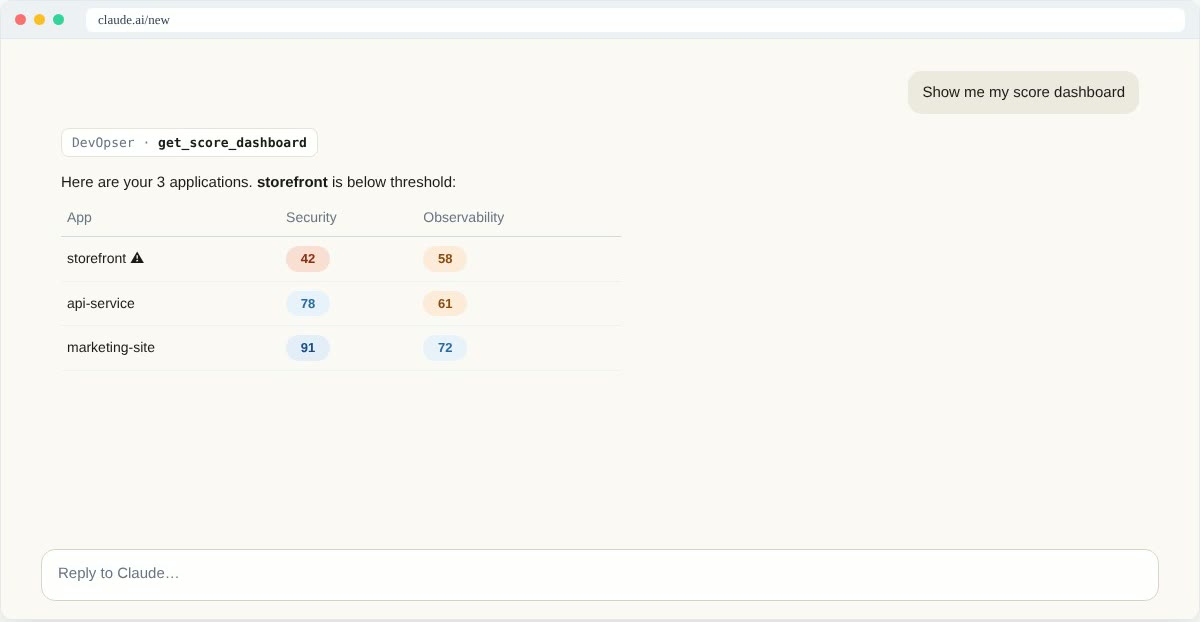
| Show me my score dashboard | Claude calls get_score_dashboard and lists every application with its scores, flagging the ones below threshold. |
| What's failing on storefront? | Claude calls list_findings and lists the findings worst first, with the file each one points to. |
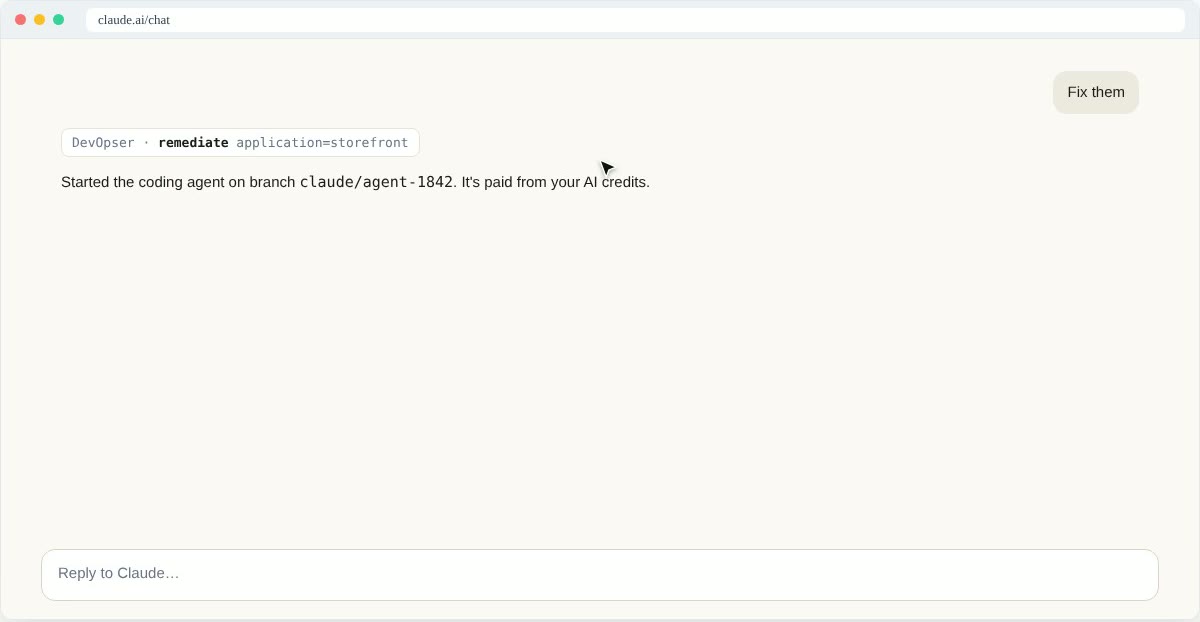
| Fix them | Claude tells you the run spends AI credits, then calls remediate. The app's coding agent starts on a new branch, works through the findings and opens one pull request. Claude polls get_remediation_result and tells you when it is ready. |
| What changed after the merge? | Claude calls get_score_change: the scores before and after, and the rules that flipped from failing to passing. |
Tool reference
Everything the connector exposes, grouped by what it touches. Tools marked AI credits start model work in your workspace and are charged to your balance. The rest are free.
Catalog
| Tool | What it does | Cost |
|---|---|---|
list_applications | The applications in your organization with their scores. Filter by source, lifecycle, runtime platform or a search. | Free |
get_application | One application in full: environments, links, scores, agent readiness and its recent fleet operations. | Free |
list_repositories | Repositories the GitHub App can see that are not yet in the catalog. | Free |
add_application | Register a repository by owner/name. Details are filled in automatically when omitted. Stops cleanly at the free-tier limit. | Free |
get_catalog_status | Whether the GitHub App is installed, the free-tier application meter and the AI credit balance. | Free |
get_app_health | Healthy, Degraded, Down or Unknown, from the live health probe, with the evidence. | Free |
Scores and findings
| Tool | What it does | Cost |
|---|---|---|
get_score_dashboard | Every application with each score, its band, whether it is below threshold and its latest change. | Free |
get_scorecard | One application's scorecard: every score, the rule breakdown, deep-review findings and score history. | Free |
get_score_change | What a merged agent session did to the scores: before, after and the rules that flipped. | Free |
recompute_scores | Rescore every active application, or the ones you name, as the Recompute baseline button does. | Free |
list_findings | Findings from the latest security review or compliance check. Filter by application, severity, kind or standard. | Free |
list_secret_findings | Secrets gitleaks found in a repository: file and line, rule and at most the first four characters of the value, with each one's status. | Free |
confirm_secret_finding | Record your answer for an open secret finding: a placeholder, or a real secret you have rotated. | Free |
Reviews and fixes
| Tool | What it does | Cost |
|---|---|---|
run_evaluation | Run a security review or compliance check across the applications you choose. | AI credits |
remediate | Open a pull request that fixes an application's failing rules and findings through its coding agent, heaviest rules first. | AI credits |
get_remediation_result | Progress of an agent session: the Actions run, the branch and pull request, and the score change once merged. | Free |
open_pull_request | Open the pull request for a finished session whose run pushed its branch but could not open one. | Free |
improve_scores | Improve the scores of every active application, or the ones you name, one batch each. Ask for the estimate first. | AI credits |
get_improvement_run | Status of an improve_scores run and each application's outcome so far. | Free |
start_agent_session | Start an application's coding agent on a new branch with your own prompt. | AI credits |
send_agent_message | Send a follow-up to a finished session. It lands on the same branch and pull request. | AI credits |
list_agent_sessions | Agent sessions, newest first. active=true shows only the ones in flight. | Free |
cancel_agent_session | Cancel a running session and its GitHub Actions run. | Free |
Fleet
| Tool | What it does | Cost |
|---|---|---|
fleet_summary | The fleet at a glance: totals, band distribution, applications below threshold, recent changes and open sessions. | Free |
fleet_chat | Send a message to the fleet assistant. It works in the background; watch it live in the portal. | AI credits |
get_fleet_conversation | The state of a fleet assistant conversation: running, waiting on a plan, or answered. | Free |
resolve_fleet_plan | Run or cancel the plan the fleet assistant proposed, after you decide. | AI credits |
start_fleet_upgrade | Make one change across applications. Each gets its own agent session, branch and pull request. | AI credits |
list_operations | Fleet operations (security reviews, compliance checks, upgrades), newest first. | Free |
get_operation | One operation with its per-application items and pull request links. | Free |
cancel_operation | Cancel an operation that is still queued or running. | Free |
Repository setup
| Tool | What it does | Cost |
|---|---|---|
add_standard_workflows | Open the pull request that adds DevOpser's standard GitHub Actions workflows: CodeQL and gitleaks scanning, CI, accessibility checks and dependabot, only where the repository has no equivalent. | Free |
enable_app_agent | Turn on an application's coding agent, or open the pull request that adds its workflow file. | Free |
refresh_agent_workflow | Bring the agent workflow file up to the current template, by pull request. | Free |
set_release_flow | Set the branch that agent and platform pull requests go to, or reset to the default rule. | Free |
open_promotion_pr | Open or update the pull request that promotes staging to production, with the predicted score changes. | Free |
Regulatory (advanced scores)
| Tool | What it does | Cost |
|---|---|---|
set_regulatory_applicability | Say whether a regulatory regime applies to an application: yes, likely, possible or no. | Free |
report_regulatory_data_issue | Tell the DevOpser team that a regulatory figure, date or source looks wrong. | Free |
Manage or revoke access
Every Claude connection to your workspace is listed on the Connect Claude card under API Keys at app.devopser.io. Revoke one there at any time. Nothing in the catalog changes when you do.
Troubleshooting
The connector will not connect
Check the URL. It must be https://appbackend.devopser.io/mcp. The console host, app.devopser.io, is not an MCP server. Leave the OAuth client ID and secret empty.
Claude asks me to sign in again
The authorization was revoked or has expired. Open Settings, then Connectors, and connect DevOpser again. You will see the same consent page.
A fix or review is refused for want of credits
Tools that spend AI credits return a link to buy more when the balance is short. You can also top up under Billing in the console. Reading scores and findings keeps working.
Need Help?
Join our Slack community to connect with other developers and get help in the #support channel.