
Software Catalog
The Software Catalog is where DevOpser keeps your applications. Connect the DevOpser GitHub App, import the repositories you want scored, and each one gets a scorecard. When something fails, the app's own coding agent can open a pull request that fixes it. You review and merge. DevOpser never merges for you.
Watch the walkthrough
Three and a half minutes, end to end: connect GitHub, import repositories, read the scores, then fix a failing app from Claude. Choose a chapter to jump to it.
3 min 45 s. Captions are available from the player's CC control. The screens shown are a demonstration workspace.
Get started
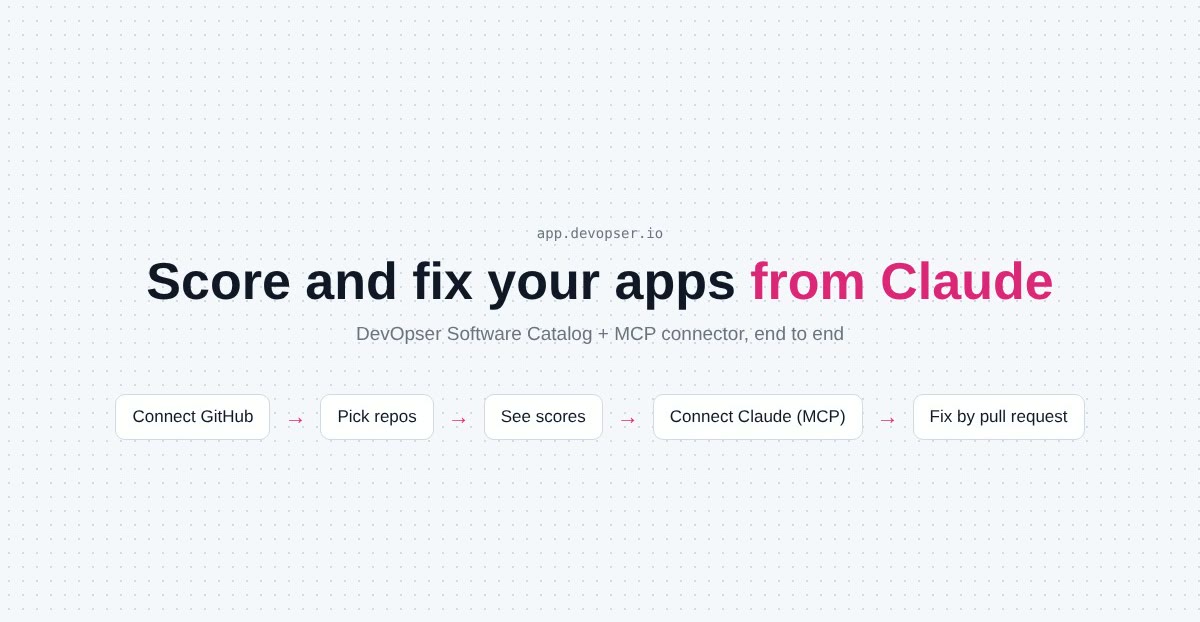
Sign in at app.devopser.io and open Software Catalog. The Get started checklist has three steps.
-
1
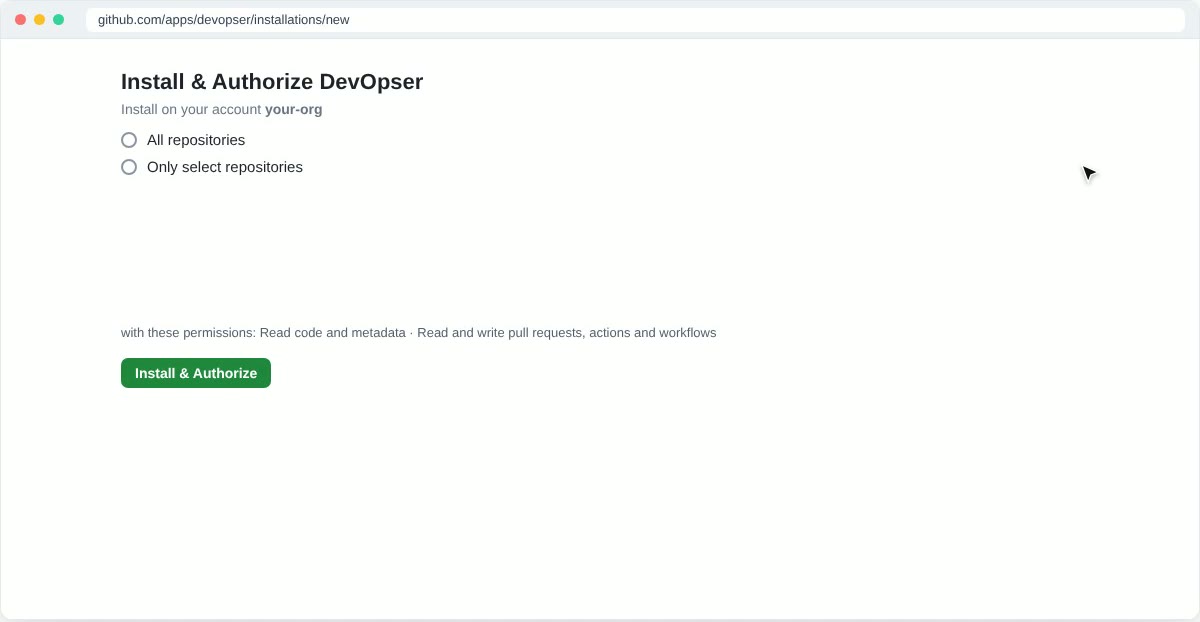
Connect GitHub. Press Connect GitHub. GitHub asks where to install the DevOpser app. Choose Only select repositories, tick the ones you want scored, and press Install & Authorize.
- The app asks to read code and metadata, and to read and write pull requests, actions and workflows.
- It opens pull requests for you to review. It never merges anything.
- Add or remove repositories, or uninstall the app, from GitHub at any time.
-
2
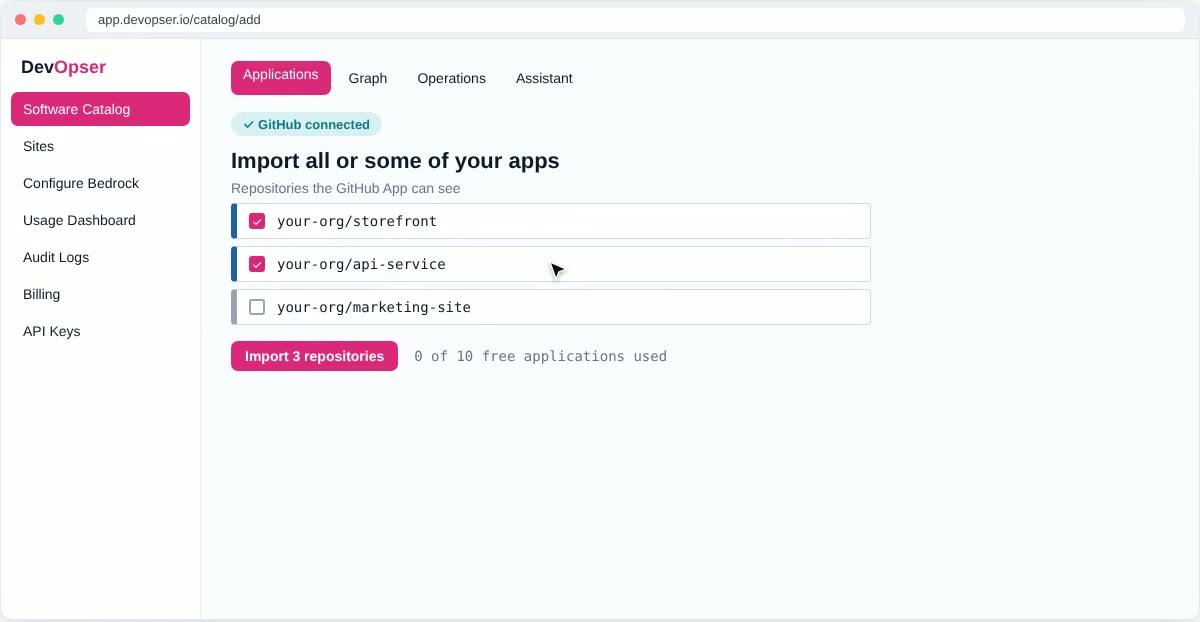
Import all or some of your apps. The catalog lists every repository the GitHub App can see. Tick the ones you want and press Import. Each one becomes an application. Your workspace includes 10 applications free, so this costs nothing to try.
-
3
Start managing apps. Each application is scored as soon as it is imported. From here, ask the catalog assistant for a change in plain language, or connect Claude through MCP and read scores and findings, and open pull requests, from a chat.
Scores
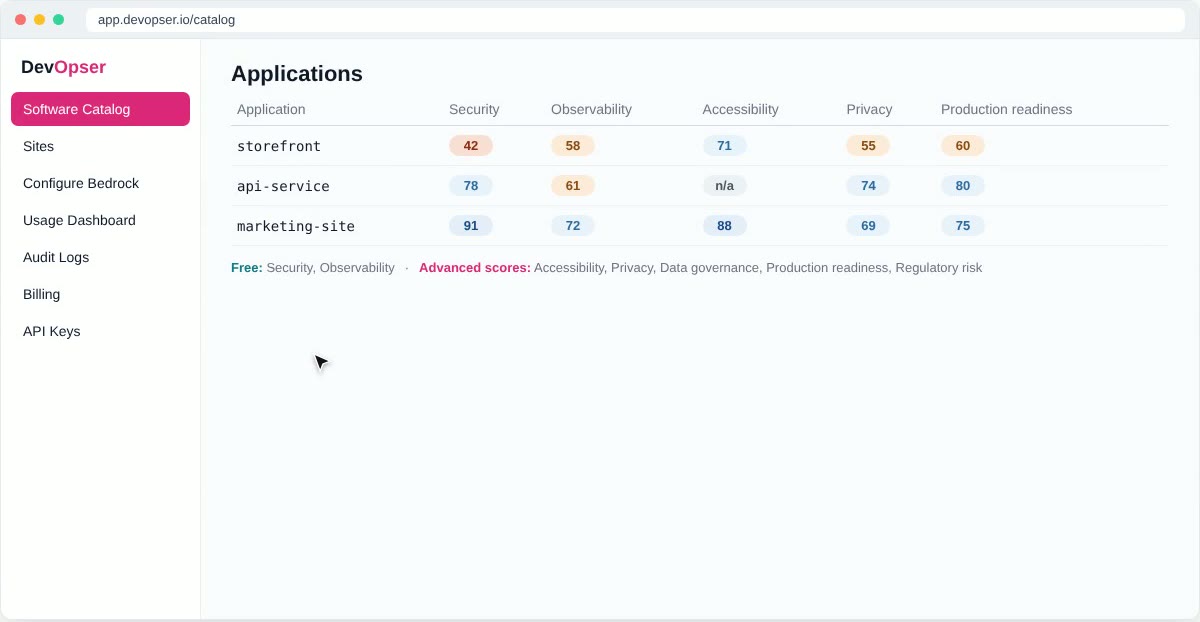
Every application gets a set of scores. Each score has a band and a threshold, and the dashboard flags any application that falls below it. Security and observability are free on every app. The other five come with the advanced scores add-on.
| Score | Included | What it covers |
|---|---|---|
| Security | Free | Code scanning and secret detection in the repository, and the security workflows that keep them running. |
| Observability | Free | Whether the running app can be seen: a health endpoint, health checks and the logs behind them. |
| Accessibility | Advanced | Accessibility checks run against the production site. |
| Privacy | Advanced | How the application handles personal data. |
| Data governance | Advanced | How the application's data is classified, stored and retained. |
| Production readiness | Advanced | Whether the application is ready to be run and operated in production. |
| Regulatory risk | Advanced | The laws and contracts that likely apply, with per-violation figures, their sources and research dates, and whether the safeguards are in place. You can override which regimes apply. |
The scorecard
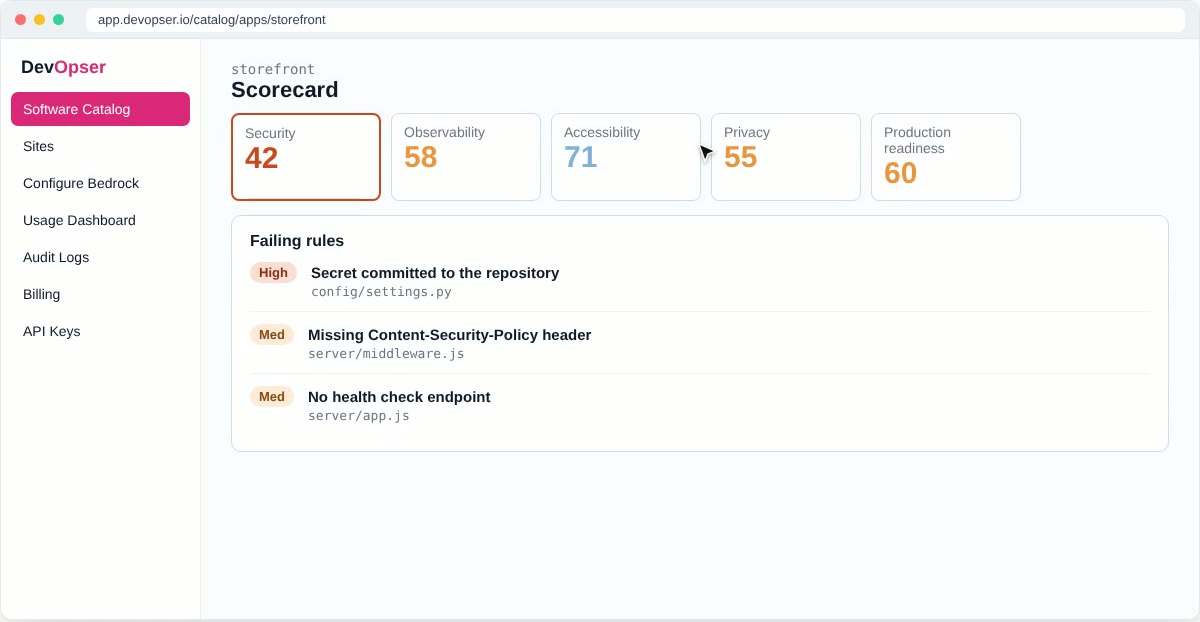
Open an application to see its scorecard: every score, the rule breakdown, findings from deep reviews and the score history. Each failing rule carries a severity and the file it points to, so you know exactly what to change.
Rescore at any time with Recompute baseline; it is free. Scores also recompute on their own when a fix is merged.
Fixing what fails
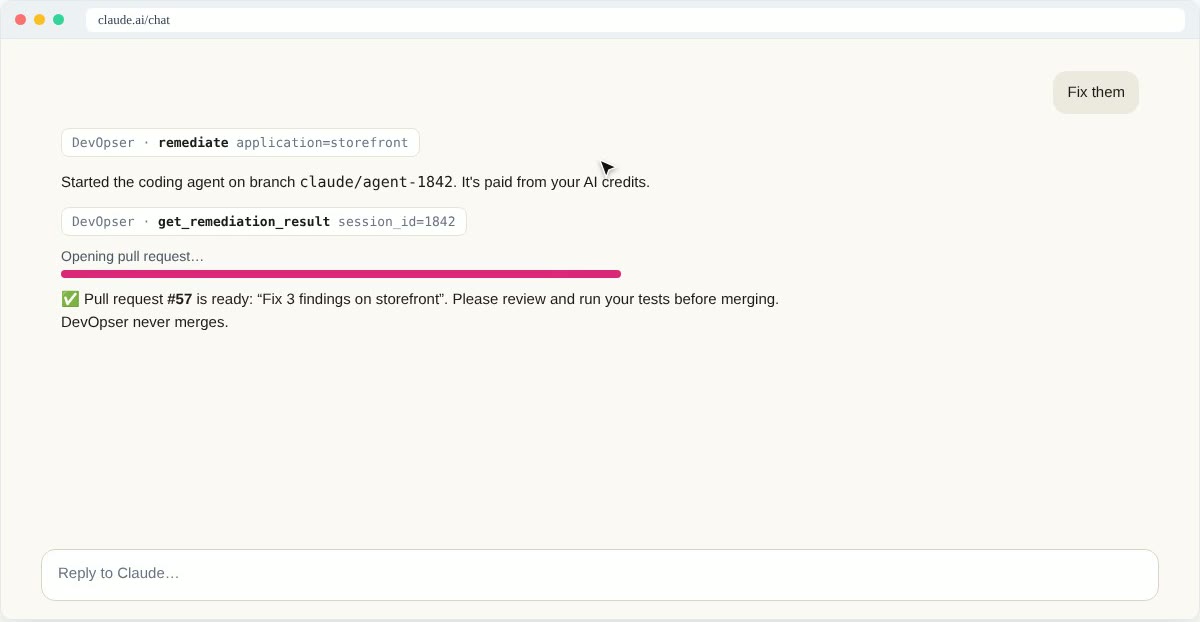
Fixes come from the application's own coding agent, which runs in GitHub Actions in your repository. Ask for a fix in the catalog, or from Claude, and this is what happens:
- The agent starts on a new branch and works through the failing rules, heaviest first, a batch at a time.
- When the run finishes it opens one pull request. The agent's turns are paid from your AI credits.
- You review the change on GitHub, run your tests and merge when you are happy.
- When the merge lands, DevOpser rescores the application. The score change shows before and after, and the rules that flipped from failing to passing.
Where pull requests go
Agent and platform pull requests target the application's integration branch: staging for an application DevOpser hosts, the production branch for any other. A merge into staging changes no score until staging is promoted to production. DevOpser can open that promotion pull request for you, listing the changes waiting and their predicted score changes. The integration branch can be changed per application.
Two things the agent never does
- Write workflow files. Checks that only a GitHub Actions workflow can fix come back as a separate, free pull request that adds DevOpser's standard workflows: CodeQL and gitleaks scanning, CI that runs your tests, accessibility checks against the production site, and a grouped
dependabot.yml, each only where your repository has no equivalent. - Decide what a secret is. A committed secret found by gitleaks waits for a person. Confirm it is a placeholder and DevOpser adds its fingerprint to
.gitleaksignoreby pull request. Rotate a real secret and confirm that instead; the rule keeps failing until the value is out of the code.
Across the whole fleet
Some work spans every application:
- Security reviews and compliance checks run across the applications you choose, or all of them, and their findings land on each scorecard.
- Fleet upgrades make one change everywhere. Each application gets its own agent session, branch and pull request.
- The fleet assistant takes a request in plain words, proposes a plan, and runs it once you approve.
Follow any of these under Operations in the catalog, where each one lists its per-application items and pull requests.
Work from Claude
Everything above is also available to Claude through the DevOpser MCP connector: scores, findings, reviews, fixes and fleet operations, with the same rule that a person merges. Setup takes a minute and needs no API key. See Connect Claude with the DevOpser MCP connector.
Need Help?
Join our Slack community to connect with other developers and get help in the #support channel.